Data Center Cabinet Enclosure: The Complete Buyer and Engineer Reference (2026)
Quick Specs
| Standard Width | 19 inches (482.6 mm) per EIA-310-E |
| Common Heights | 42U (73.5″), 45U (78.75″), 48U (84″) |
| Depth Range | 600 mm – 1,200 mm |
| Static Load Capacity | Up to 3,000 lbs (UL 2416) |
| NEMA Ratings | NEMA 1 (IP20) through NEMA 4 (IP66) |
| Inlet Temperature | 18–27 °C (ASHRAE TC 9.9 recommended) |
| Market Leader | 42U holds ~53% market share |
A data center cabinet enclosure is the physical core of each server deployment – and the wrong selection compromises how airflow flows, how easily cable management is accomplished, how much load capacity can be supported, and how much the operation costs for every rack unit installed. Whether you are preparing a 200-cabinet colocation facility or outfitting a 10-rack corporate enterprise data center, the enclosure you specify defines how well your equipment is secured, cooled and serviced. This report offers proven specifications, field-proven sizing data, enclosure structural standards referenced by EIA-310, ASHRAE TIA and NEMA, so you can forge your knowledge-based purchasing decision.
What Is a Data Center Cabinet Enclosure?

A data center cabinet enclosure is a fully enclosed (with side panels and lockable front and rear doors), environmentally-sealed housing that protects and economically conditions servers, switches, patch panels and accessories. Industry adoption surveys show that over 70% of new data center deployments specify enclosed server cabinets rather than open frame racks, citing physical security requirements and containment-based cooling benefits.
Cabinet vs. Rack vs. Enclosure — Key Differences
The words rack, cabinet and enclosure are often used interchangeably, but they indicate different rackmount products. An open-frame rack (often called a relay rack) is a four-post support system that is often roofless and has no side panels. A server enclosure is a fully-enclosed housing, which can range from 19 incher bo×es set into the wall to a 48U and 600mm-high freestanding cabinet. A server cabinet typically consists of two uprights or rails, which support a fully enclosed shell.
| Feature | Open-Frame Rack | Enclosed Cabinet | Wall-Mount Enclosure |
|---|---|---|---|
| Height Range | 7U – 48U | 22U – 48U | 4U – 18U |
| Side Panels | None | Steel, removable (1.2 mm gauge) | Steel, welded or hinged |
| Typical Depth | 600 mm – 1,000 mm | 800 mm – 1,200 mm | 400 mm – 600 mm |
| Static Load Capacity | 800 – 2,500 lbs | 1,500 – 3,000 lbs | 60 – 200 lbs |
| Airflow Control | Ambient — no containment | Front-to-back with blanking panels | Fan-forced, 2–4 fans |
| Best Application | Network labs, staging areas | Production data centers, colocation | Branch offices, telecom closets |
The 19-Inch Standard: Where It Started
Almost every contemporary server rack cabinet dimension is based on one of the earliest, but still fundamental: AT&T’s 1922 relay rack specifications. The dimensions are a 19-inch (482.6 mm) rack width, and a 1.75-inch (44.45 mm) rack height / module.
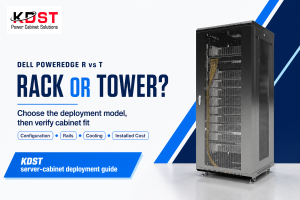
Using the EIA-310 standard, the KDST NEMA 1 / IP40 server rack enclosure is a 42U, 19-inch cabinet with a glass front door and steel shell that supports IP40-rated side panels, as well as sealed cable entries for environmental protection.
Standard Rack Sizes: 42U, 45U, and 48U Compared

Effective enclosure heights influence the number of units a single rack can hold, aisle width and overall e×pense for rack enclosures. While 42U cabinets command 53% of the installed base in recent survey response data, the 45U enclosure market share is increasing rapidly with high density, AI-centric deployments.
| Specification | 42U | 45U | 48U |
|---|---|---|---|
| Internal Height | 73.5″ (1,867 mm) | 78.75″ (2,000 mm) | 84″ (2,134 mm) |
| Usable Space (after PDU/cabling) | 36U – 38U typical | 39U – 41U typical | 42U – 44U typical |
| Common Depth | 1,000 mm – 1,100 mm | 1,100 mm – 1,200 mm | 1,100 mm – 1,200 mm |
| Standard Width | 600 mm or 800 mm | 600 mm or 800 mm | 800 mm (preferred) |
| Typical Deployment | Enterprise, colocation | Telecom, carrier hotels | AI/GPU clusters, high density |
| Market Share (appro×.) | 53% | 12% | 18% |
Increasing the width of a server rack is becoming a trend; the 800mm-enclosure can no longer be integrated into newer fields with AI computing workloads on GPU-based servers as ISO cable management requirements mandate the additional lateral room to route the greater number of cables more efficiently than a 600mm enclosure can facilitate. For the modern enterprise server infrastructure, the KDST 42U glass-in enclosure strikes the right balance between floor space and effective rack use.
📐 Engineering Note
The EIA 310 panel mounting formula is h= 1.75n 0.031″ where n= number of rack units. The mounting hole pattern is repeated with each 3U, where the hole-to-hole distance are 0.625″, 0.625″, 0.500″, respectively. Each U provides exactly 44.45mm of vertical space. Make sure your rack adjustment range is correct for your cabinets depth–(may not seat properly if from different manufacturer).
Airflow and Cooling in Enclosed Server Cabinets
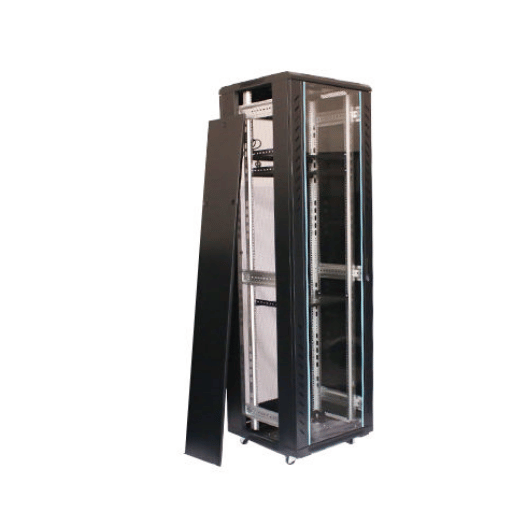
The principle premise of all enclosed server cabinets is that cold air enters the front, cools the servers passing through, then exits through the rear. When the front-to-back airflow system is compromised-blanking panels missing, fans misdirected or reversed, cables blocking the plenum the inlet temperature increase, and throttling will result.
ASHRAE TC 9.9 Thermal Guidelines
The thermal guidelines recommendations by the American Society of Heating, Refrigerating and Air-Conditioning Engineers (ASHRAE) Technol Task Group 9.9 suggest a server inlet temperature should be between 18-27 Celsius (64.4-80.6 Fahrenheit), with the recommended temperature envelope extending to 15-32 Celsius for short durations. Serves operated within the upper limit the envelope at a 27 Celsius or 80.6 Fahrenheit inlet temperature are liable to minimize component lifespan. Relative humidity should be maintained between 20% and 80% (non-condensing), at the inlet.
Hot and Cold Aisle Containment
Active field service technicians routinely operating in colocation facilitiesunderstand the benefits of containment – physically isolating the hot compressed air outside the cold supply air- and can deliver a 15-20% lower cooling power ratio than open-aisle configurations. Complete hot-aisle or cold-aisle containment has demonstrated a 20-40% cooling power reduction with densities typical of enterprise pages.
The effect on Power Usage Effectiveness (PUE) is statistically significant. With reference to the American Society of Heating, Refrigerating and Air-Conditioning Engineers (ASHRAE) 90.4 data center cooling standard, containment typically reduces PUE by 0.1 to 0.3 points. Google’s data centers attain an industry-leading PUE of 1.07, while the rest of the industry averages 1.5 according Uptime Institute’s annual survey of major data centers. Return on investment of containment retrofits ranges between six and 18 months.
The constituents of the internal enclosure include front perforated doors, roof-mount fans, reardoor heat exhangers. Blank plates (low-cost filler plates covering the useless U-spaces) are the most overlooked tool in you server cabinet. Every enclosure with 4 free U-spaces can see inlet temeperature increase 5-8 Celsius due to hot air recirculation.
Calculate your present PUE and cooling cost per KW before installing the containment system. If your PUE is higher than 1.6, containment alone can save $800-$1,200 per rack per year in a 500-cabinet facility. That is usually then, a 12-month payback period- well within typical CapEx approval guidelines.
Cable Management and Routing Inside Rack Enclosures
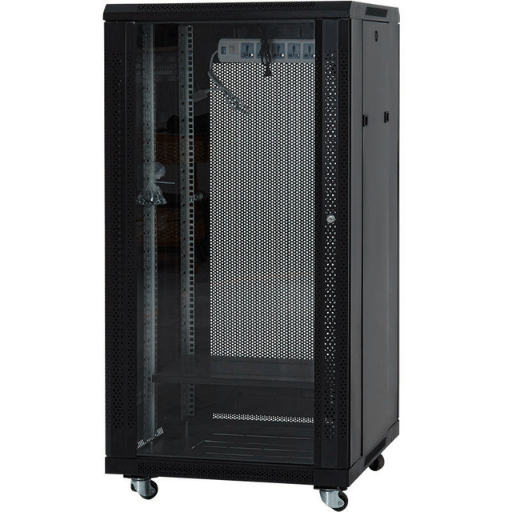
Cable mismanagement inside the enclosed server cabinet is by far to primary reason for obstruction of airflow. It also complicates troubleshooting, increasing generally time for repair, and generates fire-load in high-density deployments. During a 200-cabinet deployment at a Tier-3 colocation provider, the team installing equipment discovered that pre-routing fiber pathways ahead of rack installation reduced overall cabling time by 30% and reduced reinstallation of cabling after construction was completed to negligible levels.
TIA Standards for Cable Routing
The TIA-568 standard dictates a minimum bend radius requirement of 4 the cable diameter for copper (Cat6a: ~25 mm minimum bend radius) and 10-20 for fiber (OM4: ~50 mm). Exceeding these limits skews signal quality and can cause intermittent link failures that are near impossible to diagnose.
TIA-942 revision C (2024) mandates a 24-inch (610 mm) minimum cabinet width for structured cabling installations and restricts data cable pathways to within 12 inches (305 mm) of power cabling to prevent electromagnetic interference. Neither parameter are optional: they are a mandated requirement for a TIA-942 accredited facility.
Cable Management Solutions and Accessories
Examples of modern cable pathway solutions in data racks are vertical cable managers (finger-style or D-ring), horizontal cable trays split between every 1-2U of patch panel space, and overhead cable trays for inter-enclosure runs. Deciding between Velcro and zip-ties makes a difference: Velcro enables cable additions and moves without damage (integral to flexible environments), while zip-ties are the most cost-efficient and suitable for static installations with cable runs not expected to change over time. Installing Cat8 cables (allowed 40 Gbps for 30 meters) or OM5 fiber requires deep 100 mm channel-capacity vertical managers.
- ✔ Vertical cable managers — minimum 4″ (100 mm) wide channels
- ✔ Horizontal cable trays — mounted every 1–2U between patch panels
- ✔ Velcro straps (reusable) for dynamic environments; zip ties for static installs
- ✔ Brush-strip grommets on roof and floor openings to seal airflow gaps
- ✔ Color-coded patch cables (by VLAN or function) for faster troubleshooting
- ✔ 12″ minimum separation between data cables and power runs (TIA-942)
Consult the Chatsworth guided documents demonstrating pathways in high-density racks for example cabinet arrangements. An organized KDST server rack building including the correct pathways will allow service providers or DCIM operators to readily perform MAC (move, add, change) tasks and preserve uniform bottom-to-top airflow distribution.
Load Capacity, Seismic Ratings, and Structural Standards

All data center cabinets have two maximum load parameters that discerning consumers must know: static load capacities (weight a cabinet is rated to carry in a stationary state) and dynamic load capacities (weight a cabinet can endure under transport or seismic events). FM-EE (free-standing) managers in seismic Zone 4 areas have recorded scenarios whereby cabinets rated to static loads only were encountered to shift 3-6 inches during moderate tremors, disconnecting power and network.
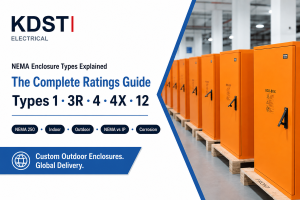
NEMA Enclosure Ratings Explained
| NEMA Type | IEC Equivalent | Protection Level | Typical Application |
|---|---|---|---|
| NEMA 1 | IP20 | Indoor: protects against contact with enclosed equipment; no liquid or dust ingress protection | Climate-controlled server rooms, enterprise data centers |
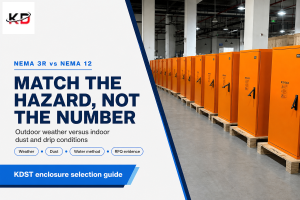
| NEMA 12 | IP52 | Indoor: dust-tight, drip-proof; resists circulating dust, falling dirt, and non-corrosive liquids | Industrial facilities, factory floors, manufacturing plants |
| NEMA 4 | IP66 | Indoor/outdoor: watertight against hose-directed water, rain, sleet, snow; dust-tight | Outdoor telecom sites, edge deployments, industrial facilities with washdown |
The KDST IP40-designed enclosed cabinet extender sits midrange on the NEMA 1/12 continuum, providing coverage against solid objects greater than 1 mm wide while allowing ventilation vents. This design consideration is ideal for indoor data center and server room applications with index dust levels controlled by HVAC filtration.
UL 2416 and Seismic Reliability Standards
UL 2416 has become the prevailing safety regulation for IT hardware and enclosures throughout North America, encompassing structural integrity testing to 3,000 lbs static weight, fire-escape compliance, and grounding standards. Protocols for designing hermetic cabinets in seismic zone categories are outlined by Telcordia GR-63-CORE: zone 4 (the maximum seismic zone) requires cabinets surviving 0.8 G acceleration with a 2,500 lb payload without tipping, moving more than 1 inch, or ejecting hardware. See Hammond’s GR-63 Zone 4 seismic cabinet documentation for testing methodology details
Always check the dynamic load rating (not just the static). For deployment in seismic zones, a 3,000 lbs static cabinet may have only 1,800 lbs of dynamic load capacity in Zone 4. Your purchasing department has learned that the lowest-quoted enclosure usually receives no seismic qualification – create a break-fix cost of field replacements – by asking for a GR-63-CORE test report during RFQ.
How to Choose the Right Data Center Cabinet for Your Deployment
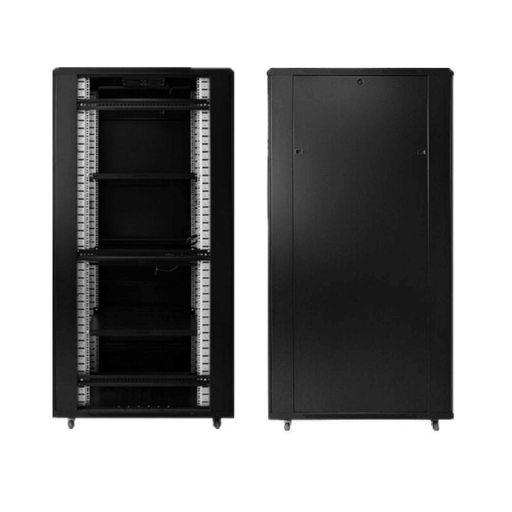
When selecting a data center cabinet enclosure there are six purchase decisions to be made: any of which can cause expensive problems when equipment is racked and powered before the error is recognized.
Decision Framework
1. U-Height: for now, count your current equipment, add 20-30% headroom for growth, and select the smallest enclosure size capable of that total. Overhang spec, versus floor space efficiency. Selecting an enclosure that is too small means a second cabinet – and expensive double U-per-cabinet cost when equipment is later re-racked.
2. Depth: Measure your deepest server(s) (including cable bend radius behind the rear rail) and add 100-150 mm of clearance. Experienced installers have found that most 1U and 2U servers will tuck in to a 1000 mm depth cabinet, but GPU-mounted storage arrays may need 1200 mm.
3. Capacity: sum the weight of all of your planned equipment, PDUs and cabling, then a factor of 1.5 safety margin. For seismic loading, use your equipment’s dynamic weight rating (see above).
4. Environment: match environment to enclosure environmental specifications. Climate-controlled server rooms need a NEMA 1 at a minimum. Dusty industrial sites need NEMA 12. Uncontrolled outdoor or edge facilities need a NEMA 4 solution.
5. Cooling: If you are doing a design where heat load exceeds 5 kW per cabinet, plan for containment. If heat load exceeds 15 kW a rear door heat exchanger or in-row cooling system must be specified (cabinets with the structural strength and space for these accessories).
6. PDU and other accessories: purpose-designed enclosures constructed by the factory, with well aligned cable management, PDU bracketry, and rail kits, expedite installation by 40-60% compared to on-site build. Focus on PDU positioning, cable entry panel, and side panel locations; asymmetrical side panel removal may be necessary for inter-cabinet cabling.
Colocation vs. Enterprise vs. Edge Deployment
Colocation deployments tend to have a handful of sized locked cell enclosures and metered PDUs, as to provide the same Facilities footprint for 1-5 tenants sharing a shared environment. Enterprise server environments tend to specify a specific size cabinet, and pick assorted rails, accessories and PDU options. Edge deployments usually needs purpose-made enclosures with seismic bracing, a higher NEMA rating, and integrated cooling applications.
Enclosed Cabinet vs. Open-Frame Rack
✔ Advantages — Enclosed Cabinet
- Physical security with locking front and rear doors
- Supports hot/cold aisle containment for 20–40% cooling savings
- Dust and debris protection (NEMA 1 and above)
- Acoustic dampening reduces noise in shared spaces
- Meets co-location and compliance requirements (SOC 2, PCI-DSS)
⚠ Limitations — Enclosed Cabinet
- 15–40% higher cost than equivalent-height open-frame racks
- Heavier cabinets (180-350 lbs) may be impractical to carry up the freight elevator
- Requires more aisle clearance for door swing (36″ minimum)
- Side panel removal may be required for inter-cabinet cabling
- Limited natural convection air flow – blanking panels necessary to prevent air recirculation
Common Mistakes
The two greatest forecast impact errors are cable design and top heavy loading. Never install 1U switches and patch panels at top of the cabinet, while simultaneously hanging heavy 4U servers in mid-section. Heavy equipment should always be bottom-loaded. Cable management errors are most common,failing to compensate for 100 mm bend radius means re-work.
- ✔ Document U-height, depth, load, and NEMA requirements before contacting vendors
- ✔ Request GR-63-CORE or UL 2416 test reports — not just marketing claims
- ✔ Specify rail compatibility (square-hole, round-hole, or threaded) for your server vendor
- ✔ Confirm door clearance for your planned aisle width (front and rear)
- ✔ Verify PDU mounting options (vertical zero-U vs. horizontal 1U)
- ✔ Assess future growth: plan for 20–30% spare U-space at deployment
KDST can custom engineer enclosures to meet your project requirements: including specific depth dimensions, factory pre-installed cable management frames, and custom cut-out access panels. If your deployment requires data-specific enclosure sizes, structural seismic braces, or integrated PDU access points, call our engineering group early.
Explore KDST Cabinet Solutions →
Frequently Asked Questions
Q: What data center cabinet enclosure do I need?
View Answer
Q: Why are data center cabinet enclosures expensive?
View Answer
Q: Are data center cabinet enclosures required?
View Answer
Q: How can I find the weight capacity of a server rack cabinet?
View Answer
Q: How much depth does my rack enclosure need?
View Answer
Q: What accessories are available for enclosed server racks?
View Answer
Q: How does hot and cold aisle containment work?
View Answer
View KDST 42U Server Rack Cabinets →
Our Commitment to Technical Accuracy
This paper on data center cabinet enclosures was created based on published industry standards from ASHRAE, TIA, EIA and NEMA rather than vendor marketing info. All data points relating to load capacity, thermal performance and cabling best practices refer to the official source publications. KDST is one of many manufacturers listed in this guide and we have noted areas in which our solutions are relevant, however the information in the engineer’s data and technician’s selection advice is applicable to any prospective purchaser of the enclosed server rack.
References & Sources
- 19-inch rack — Wikipedia
- TC 9.9 Thermal Guidelines for Data Processing Environments — ASHRAE
- ASHRAE 90.4 Standard for Data Center Cooling — ASHRAE / AKCP Reference
- TIA-568 Telecommunications Cabling Standard — Telecommunications Industry Association
- TIA-942 Telecommunication Industry Association – Data Center Interconnection Standard, Revision C (2024)
- Uptime Institute Annual PUE Survey Data — Uptime Institute
- Telcordia GR-63-CORE: NEBS Requirements for Physical Protection – Telcordia Technologies
Related Articles
- Selecting the Proper Size Server Rack for Your Data Center – sizing guide for 42U, 45U and 48U rack widths
- Understanding the NEMA Enclosure Protection Levels- comparing IP20 to IP66 Protection Ratings
- Effective Cooling Techniques for High-Density Data Center Applications – containment, airflow patterns, hot and cold aisle management
- Server Room Cabling Guide- TIA-compliant installation methodology