Efficient data center cabinet planning is the foundation of a high-performing and reliable IT infrastructure. The increase in the demand for data storage and seamless connectivity makes it imperative for businesses to have their data centers equipped with the best standards in terms of scalability, energy-saving, and operational reliability. This manual is going to lead you through the necessary steps to organize and manage data center cabinets. We will be discussing everything from selecting the right cabinet sizes and power distribution to optimizing cooling and airflow, providing you with actionable insights that will assist you in creating a future-proof setup. Whether you are building a data center from scratch or upgrading the current one, this all-inclusive guide will let you make informed decisions that will not only improve performance but also lessen the inevitable costs of inefficiency.
Understanding Data Center Cabinets

The Role of Cabinets in Modern Data Centers
In data centers, the cabinets for critical IT equipment like servers, networking devices, and storage systems are a must. Organizing the equipment within the data center securely and efficiently is their primary function. Cabinets are the first step to a structured layout thereby helping to maximize space and improve access for maintenance and upgrades. Enclosed racks, on the other hand, provide different kinds of protection to hardware that is very sensitive; they protect against physical damage, environmental factors, and unauthorized access.
The design of cabinets significantly affects the airflow management which is very important in maintaining the correct operating temperature. Often cabinets are equipped with systems such as perforated doors, cable management pathways, and blanking panels that aid cooling and prevent hotspots. The thermal management thus created is crucial in not only cutting down energy used but also in prolonging the life of the equipment, which makes well-designed cabinets a vital part in an eco-friendly data center.
Furthermore, the cabinets of today are made in a way that they can last long and technology won’t be a problem. Among others, adjustable rails and scalable configurations are the main features that offer flexibility to support newer, high-density equipment in parallel with the growing IT requirements. This adaptability not only makes the data center future-proof but also saves financial resources that would otherwise be spent on overhauling the infrastructure. By facilitating organization, efficiency, and scalability, cabinets become the basic building blocks of any successful data center strategy.
🔑 Key Benefits of Proper Cabinet Design
Organization
Structured layout maximizes space utilization
Efficiency
Optimized airflow reduces energy consumption
Scalability
Future-proof design supports growth
Types of Data Center Cabinets
At a high level, data center cabinets are classified into three main types: server cabinets, network cabinets, and storage cabinets. These types of cabinets have their own separate functions, which guarantee a well-organized and efficient data center operation.
Server Cabinets
Built to accommodate servers and associated components. Feature advanced cooling and cable-organizing systems to handle thermal and interconnection demands of high-performance servers. Keep equipment secure while ensuring optimum operational efficiency.
Network Cabinets
Designed for networking equipment such as routers, switches, and patch panels. Made with user accessibility in mind, providing ample room and good organization for cable routing. Usually have a smaller depth than server cabinets to fit smaller network devices effectively.
Storage Cabinets
Primarily concerned with storage arrays and data management systems. Built to handle the weight of densely packed storage solutions and often include vibration isolation to safeguard sensitive storage hardware. Essential for secure and reliable data access.
Key Features of Server and Network Cabinets
Choosing the Right Data Center Cabinet
Factors to Consider: Size and Capacity
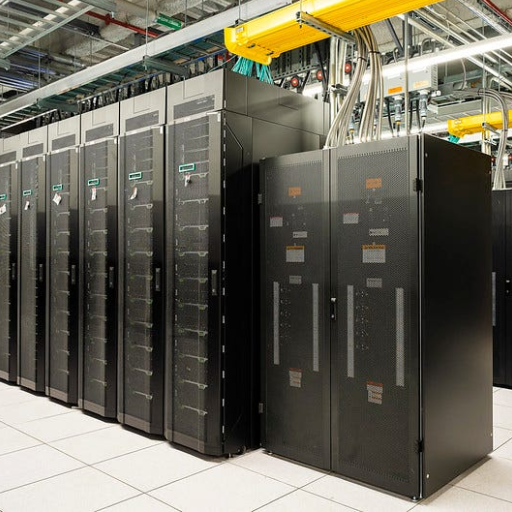
Size and capacity are the foremost factors to think about while selecting a data center cabinet. Precisely measuring the cabinet’s dimensions, like its height, width, and depth, is the fundamental step, ensuring it can hold all the gear you are going to set up. Vertical volume is measured in standard rack units (U), and double-checking the number of rack units your equipment will occupy is very important in preventing both over- and under-utilization of space.
Capacity is also dictated by weight-bearing ability. A cabinet must be able to carry the total weight of the equipment that would be in it. Confirm the cabinet’s weight rating, which should include static and dynamic loading limits and make sure that it is strong enough to handle both the equipment’s weight and maintenance or upgrades. This is even more so in environments where the equipment may need to be frequently moved around or in the case of future expansion.
Moreover, it is highly recommended to factor in future scalability while determining size and capacity. The demand for data center services usually increases with time, and it’s always cheaper and better to have cabinets with extra capacity, thus the easiest way to add without the need to pull down the whole setup is by having buffer space in the first place which lessens downtime and prevents unnecessary costs thus ensuring your setup can adapt to changing operational needs.
✅ Size & Capacity Checklist
Importance of Cable Management
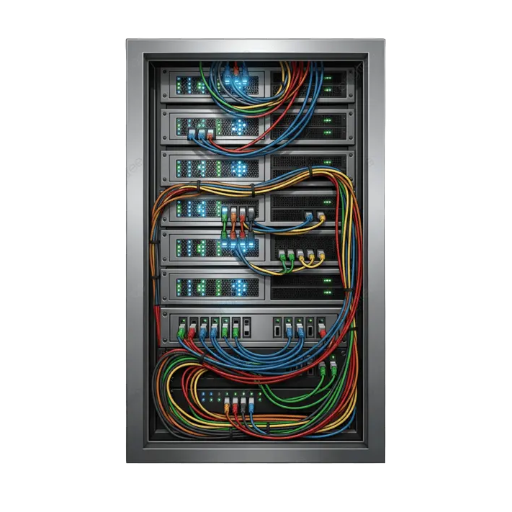
The necessity of proper cable management cannot be overemphasized as it is the key to data centers or IT setups’ efficiency, safety, and flexibility. All cables will be organized, neat and easy to identify, which is a great help in both installation and maintenance in the future. If cables are arranged in an orderly manner, troubleshooting will be much easier and quicker, thus saving time and minimizing the risk of errors.
Communication through cable management of good quality is very important in that it results in the cooler operation of the setup. Ventilation through the air is obstructed by the presence of tangles or clusters of cables, thus, overheating of electronics occurs. By having the cables in order and not in the way of critical airflow, you are supporting the optimal cooling operations and thus, the entire hardware components will last lasting and perform better.
Good cable management, moreover, contributes to the safety of the workplace. Cables poorly managed can lead to accidents from tripping, cause accidental disconnections, and even result in a fire due to overheating. If an organization makes a commitment to the organization of cables, it will promote a safer and more reliable operational environment, thus reducing downtime and preventing a loss of business due to mishaps. Effective cable management involves planning, labeling, and regular evaluations to ensure that the system remains organized as the demands grow or change.
Efficiency
Faster troubleshooting and maintenance
Cooling
Improved airflow prevents overheating
Safety
Reduces tripping and fire hazards
Scalability
Easy to add or modify connections
Cooling Solutions in Data Center Cabinets
Cooling the data center cabinets the right way is essential for retaining the highest performance possible and avoiding equipment failures. There are many components in the data centers that create an enormous amount of heat, and without the right cooling, this heat can lead to problems in the whole system. So, it is crucial to use the right cooling strategies to keep the equipment within the limit of safe operating temperatures.
Among the cooling methods, one is airflow management, which includes separating hot and cold air through containment systems. Air containment systems keep the cold air supply to the equipment’s input and at the same time, hot air is removed quickly. Proper positioning of racks and keeping enough space between devices also helps in the airflow and thus the formation of thermal hotspots is minimized.
The other method is improving the cooling technology, e.g., liquid cooling and using high-efficiency air conditioning systems, according to the particular needs of the data center. Monitoring and maintaining cooling systems on a routine basis are also important to find inefficiencies at the earliest and make the necessary adjustments. Organizations can save energy and at the same time ensure the smooth operation of their data centers by applying these strategies together.
Types of Data Center Enclosures

Server Rack Cabinets
Server rack cabinets are one of the most important parts of the data center infrastructure, serving the purpose of securely housing servers, networking equipment, and other devices of a similar nature. These cabinets help in making better use of space in the data centers by creating a structure and consolidating the devices that are unimpeded by cables, thus allowing them to be serviced easily and upgraded. They are customizable in size and shape so that they fit different environments perfectly, thereby providing the option to scale up or down in the future.
One of the most critical elements of the server rack cabinets is proper ventilation and cooling which is necessary to prevent overheating. Such cabinets usually consist of both doors and panels that are perforated for airflow enhancement and thus the hardware can be safely operated within temperature ranges. The presence of cable management systems within these cabinets has a further positive impact on cooling as they help reduce the amount of clutter while providing clear pathways for airflow, thus contributing to the overall cooling strategy of the data center.
Also, security is a point that needs to be addressed when talking about server rack cabinets. A good number of them come with lockable doors as well as access control options as part of their features in order to prevent unauthorized entry to sensitive hardware. Server rack cabinets, through the use of organization, cooling efficiency, and security, perform an important role in making the data centers more reliable and functional.
Network Cabinets: Features and Benefits
Network cabinets are significant parts of the data center or office IT equipment’s organizing and managing system. They are meant to accommodate networking devices, e.g. switches, patch panels, routers, and other critical utilities, thus creating a safe and efficient setup. The physical layout of network cabinets makes it possible to quickly access devices for maintenance and upgrades.
Cable management is the main highlight of network cabinets. The cabinets normally come with pathways, straps, or brackets for cables that will keep them safe and out of sight. That means there is no chance that a cable gets damaged or disconnected by accident, thus a reliable network is assured. Furthermore, good cable management leads to better airflow and thus better cooling and less chance of equipment overheating.
Moreover, security is another big plus for network cabinets. The majority of the models are designed with lockable doors and side panels which allow access only to the authorized personnel. Consequently, the protection of the sensitive devices is assured and the risk of tampering is precluded. Network cabinets play a significant role in the whole IT environment by being space-efficient and providing facilities for cable management and cooling.
📦 Network Cabinet Key Features
- 1 Integrated Cable Pathways — Built-in straps and brackets keep cables organized and protected
- 2 Compact Depth Design — Optimized for smaller networking equipment dimensions
- 3 Enhanced Accessibility — Quick access for maintenance, upgrades, and troubleshooting
- 4 Security Features — Lockable doors and panels prevent unauthorized access
Colocation Cabinets: A Practical Solution
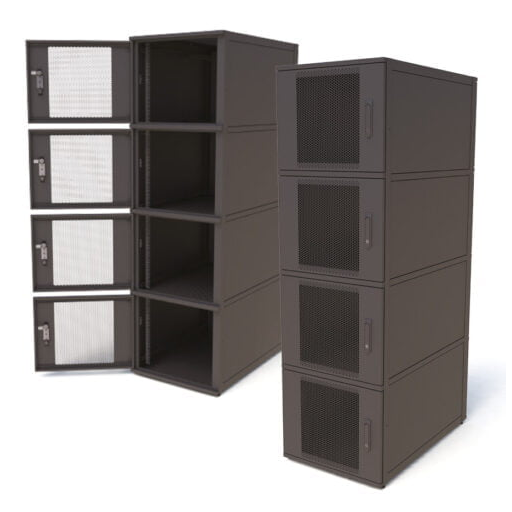
Colocation cabinets are a practical solution for organizations looking to securely store and manage their IT equipment in shared data center environments. These cabinets are specially designed in such a way that they allow the coexistence of multiple tenants, and the secure housing of each one´s hardware in separate, lockable compartments. This guarantees both privacy and security, so they are the best choice for businesses that want to spend less on data center solutions without sacrificing safety.
One of the main benefits of colocation cabinets is their capacity for space optimization and cost reduction at the same time. Several tenants can share a cab and thus share costs related to cooling, power, and maintenance which sum up to significantly smaller amounts than owning and running a private data center. Besides, these cabinets are built to promote cable management and airflow, thus guaranteeing good equipment and efficient operation.
Colocation cabinets also build up scalability and flexibility for expanding companies. When the needs change a company can easily increase or change its hardware configuration with no big infrastructure investments. Also, colocation facilities usually offer substantial power redundancy, cooling systems, and safety measures that together assure dependable performance and less downtime. In conclusion, colocation cabinets are a secure, efficient, and flexible solution for the IT infrastructure needs of the modern era.
✓ Advantages
- Shared costs reduce overall expenses
- Professional-grade security included
- Built-in power redundancy systems
- Scalable as business grows
- No major infrastructure investment needed
✗ Considerations
- Less control over the physical environment
- Shared resources with other tenants
- Potential connectivity limitations
- Monthly recurring costs
- Dependent on the facility’s maintenance
Innovations in Cabinet Technology
Integration of Liquid Cooling
Liquid cooling integration in the racks made available for colocation constitutes a major stepping-stone in technology that is still aimed at cooling down high-performance computing systems. The process of liquid cooling is different from the traditional air cooling methods in that it uses a heat-transfer fluid to carry away the heat produced by servers and other IT infrastructure. This method of cooling is very effective thus enabling the data center to house a larger volume of hardware without having to reduce the performance or risking overheating.
Removing the heat through liquid cooling comes with the main benefit being that liquid cooling is the most effective of all methods available. Its operation targets the heat sources, cooling distance is minimized, and at the same time, energy consumption is reduced in comparison with air-based solutions. This efficiency not only cuts down the cost of running the operation but also backs up the practices of sustainability by diminishing the carbon footprint of the data center’s functioning. At the same time, the liquid cooling system makes it possible to utilize the cabinet space more and better allowing for denser configurations and enhancing scalability.
Besides that, liquid cooling brings about a greater degree of reliability along with performance. In a situation where the cooling system is very precise and there is less dependency on the cooling infrastructure outside, then the IT equipment can operate under optimal conditions for a longer period. This integration happens to be very beneficial especially for companies that are running energy-hungry applications like artificial intelligence, machine learning, or advanced data analytics. It is when the demand for computing power escalates that liquid cooling technology secures colocation facilities to be at the cutting edge of the transition, thus offering a strong and future-proof solution for the IT infrastructure.
💧 Liquid Cooling Benefits at a Glance
Targeted Cooling Removes heat directly from source components
Energy Efficient Reduces power consumption vs. air cooling
Higher Density Enables denser hardware configurations
Sustainable Lower carbon footprint for operations
Smart Monitoring Capabilities
Smart monitoring capabilities are a must-have component for the proper functioning and trustworthiness of cutting-edge IT systems. The systems constantly monitor and record the temperature, pressure, and fluid heights, thus making sure that the liquid cooling setups are doing their job in the most efficient ways possible. Whenever a certain measurement goes wrong and is no longer within the boundaries considered safe, alerts are sent out automatically so the technicians can get there right away and stop the situation from escalating into a system failure. This method of working reduces not only the time of outages but also the risks of critical hardware getting burnt out from overuse.
One more noteworthy thing that comes along with smart monitoring is its capacity to show comprehensive performance statistics. The data from these systems is thus made available when the analysis is carried out using trends and behaviors of the systems helping to pinpoint the non-optimal areas, the energy consumed to be reduced, and the requirements for future capacity planned correctly. Moreover, the use of advanced dashboards and reports makes the comprehension of system performance a lot easier thus giving room for data-driven decisions that already significantly boost operational effectiveness.
Furthermore, smart monitoring systems support sustainability through the reduction of resource waste. By the instant and correct identification and rectification of problems like power overuse and water leakage, they help operations to be more environmentally friendly and cheaper. The duality of good performance and environmental sensitivity makes smart monitoring an indispensable asset in every modern colocated facility that utilizes liquid cooling technologies.
🖥️ Smart Monitoring System Features
- ▸ Real-time temperature monitoring
- ▸ Automated alert systems
- ▸ Power usage tracking
- ▸ Fluid level sensors
- ▸ Performance analytics dashboards
- ▸ Trend analysis and reporting
- ▸ Capacity planning tools
- ▸ Remote management access
Impact on Efficiency and Security
The implementation of smart monitoring systems in data centers brings about significant improvement in their operational efficiency, especially in the areas of resource consumption and downtime. Operators are able to make swift and confident decisions due to monitoring systems providing real-time data on electrical power usage, temperature, and liquid cooling. The result is that the equipment is kept running in optimal conditions, thus reducing wastage and the cost of operation.
In terms of security, smart monitoring systems are the key to better risk management, thanks to their continuous monitoring and real-time alerts for impending issues. To illustrate, having the monitoring system in place for temperature or liquid flow can spot anomalies that will then prevent equipment failure as well as protect sensitive data. This kind of monitoring done ahead of time will result in critical systems, causing fewer disruptions and thus a reliable and secure environment being created.
Moreover, detailed logs of the performance metrics are kept by the systems that help in and even beyond complying with the environmental and operational standards. This kind of transparency has the potential to not only speed up audits but also to detect areas for improvement in the long run. While ensuring plentifulness in the aspect of security, the smart monitoring systems also play a vital role in the sustainability and robustness of the data center cabinet operations.
Future Trends in Data Center Cabinet Solutions
Emerging Technologies in Cabinet Design
The cabinet design of data centers is one of the most important areas where innovations aimed at improving efficiency, scalability, and sustainability have a great impact. Among the innovations, thermal management technologies are of paramount importance. Up-to-date cabinets are designed in such a way that they allow the maximum airflow and cooling efficiency which in turn results in minimum energy consumption and the equipment’s optimum operating temperature. The methods of liquid cooling that were once few in number are now being recognized as one of the effective cooling techniques for the modern computer systems that consume a lot of power and generate a lot of heat.
Another important trend is the adoption of intelligent monitoring and automation. A smart cabinet having sensors built into it will provide information in real-time about such factors as temperature, humidity, and power usage. This kind of feature will enable a preventive management style and a quick response to a problem that would otherwise lead to a loss of production, thus making the whole operation more reliable. Automation also makes it possible for testing and monitoring to be carried out from a remote location which greatly reduces the number of on-site interventions done and the infrastructure becomes more flexible and responsive.
Last but not least, architects and designers of cabinets are now looking for ways to make their products modular and flexible in design so they can change accordingly to the demand coming in. Modern cabinets are made with the idea of scalability thus making it very easy for operators to change layouts or make room for new tech without going through tough rewiring. This kind of flexibility not only guarantees long-term cost-effectiveness but also supports the concept of sustainability which is becoming increasingly important as it involves less frequent hardware replacements and upgrades. All these improvements contribute to the creation of a data center cabinet design that is both efficient and adaptable.
Advanced Thermal Management
Maximum airflow and cooling efficiency with liquid cooling integration
Intelligent Automation
Built-in sensors for real-time monitoring and remote management
Modular Design
Flexible configurations that adapt to changing business demands
Scalability Considerations for Growing Data Centers
Scalability is a major consideration in the design and management of the data center cabinets. The larger the business, the more it will require data storage and processing and therefore needs a solution that can handle such an increase without too much downtime or major revamping of the infrastructure. A scalable cabinet design makes the easy addition of equipment possible, so the data center can effortlessly grow along with the needs.
Modular cabinet designs are the key to achieving scalability. They allow the operators to perform very little disruption while adding or repositioning components like racks, power strips, and cooling systems. Modular setups not only make scaling up easier but also cut down on installation time and costs. The use of flexible cable management systems is another thing that helps in the organization and efficiency of the data center as it grows and changes.
Moreover, energy efficiency and cooling capacity must be taken into account when thinking about the future. Proper airflow and power management systems are crucial for the even greater equipment densification. That is why opting for cabinets that let the heat dissipate correctly and have energy-saving features ensures that the performance and reliability of the equipment will not be affected by future growth. A well-thought-out scalability plan is one that offers a mixture of flexibility, efficiency, and cost-effectiveness to satisfy both the present and the future operational needs.
💡 Scalability Best Practices
- Plan for Growth — Design infrastructure with future capacity requirements in mind
- Choose Modular Components — Select cabinets and systems that can be easily reconfigured
- Implement Flexible Cabling — Use cable management that accommodates changes without major rework
- Prioritize Cooling Capacity — Ensure thermal systems can handle increased equipment density
- Monitor Power Requirements — Track usage to anticipate when additional capacity is needed
- Document Everything — Maintain detailed records to streamline future expansions
Frequently Asked Questions (FAQ)
References
-
Planning and design considerations for data centers
This report provides a framework for planning and designing data centers, including layout considerations like hot-aisle/cold-aisle rack configurations.
Read the report here -
Data center energy management
This thesis discusses data center design trends and energy management strategies, which are crucial for cabinet planning.
Access the thesis here -
Guidelines for the specification of data center power density
This document outlines power density specifications and planning guidance for predictable data center power and cooling.
View the guidelines here - Indoor Telecom Cabinets for Mission-Critical Networks